


by Luis Zuluaga
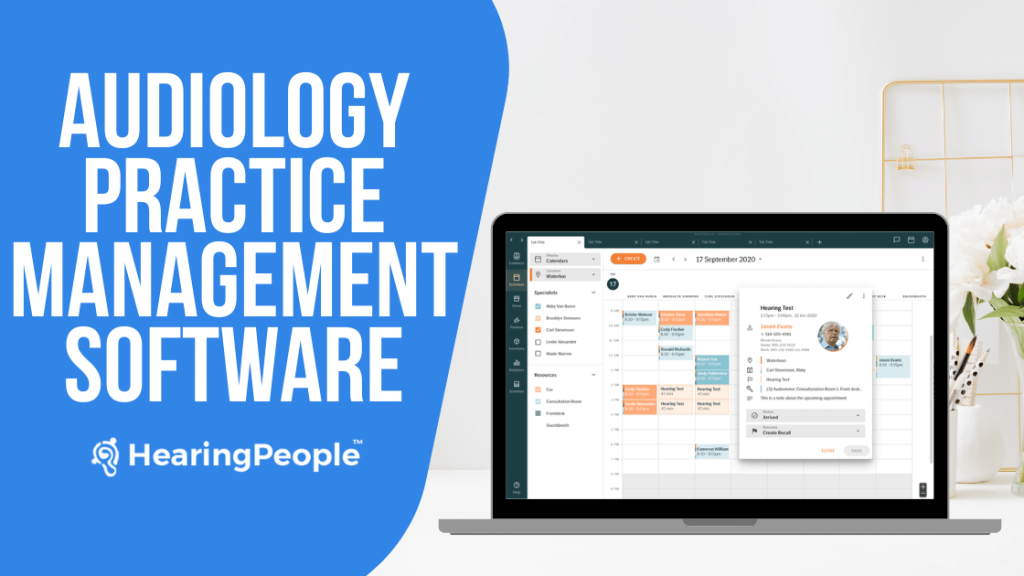
Audiology practice management software is an essential tool for running an efficient and successful hearing health care business. This type of software helps audiology clinics and private practices streamline operations, reduce costs, and provide better patient care. Selecting the right practice management solution can have a major positive impact on your clinic.
Practice management systems automate many clerical and administrative tasks associated with running an audiology practice. This frees up staff time so they can focus on more high-value work like patient interactions. It also reduces human errors that can occur with manual workflows. Key benefits of practice management software for audiology include:
- Optimized scheduling– The software allows you to track appointment slots, manage provider schedules, and prevent double-booking errors. Patients can conveniently book, reschedule or cancel appointments online.
- Streamlined billing – It automates the insurance verification process, generates claims, tracks payments and handles billing tasks. This improves cash flow and reduces claim rejections.
- Enhanced documentation– Templates make it easy to capture patient history, test results and SOAP notes. This leads to more complete clinical records.
- Tracking analytics– Robust reporting provides insights into practice performance, revenue, referrals and more. This helps inform good business decisions.
- Inventory monitoring– The system can track hearing aid inventory, accessories and parts. This prevents stock-outs or overstocking.
- Better patient experience– Patients can access an online patient portal to view their records, care plans and statements. This boosts satisfaction.
Clearly, audiology practice management systems provide major advantages over manual processes. This guide will explore the key features to look for in selecting software.
Key Features to Look For
When evaluating audiology practice management software, there are several key features to prioritize in your search. The software you select should have robust capabilities when it comes to:
Scheduling & Appointment Management
- Calendar view to visualize appointments and staff schedules
- Automated reminders for patients via email, text, and phone
- Customizable appointment types and service options
- Real-time schedule updates across locations and providers
- Waitlist management and overbooking prevention
- Recurring appointment scheduling for follow-ups
Billing & Insurance Claims Processing
- Electronic claims submission to insurance providers
- Automatic claims status updates and tracking
- Patient statement generation and mailing
- Accept credit card payments and maintain payment histories
- Billing rule engine to ensure accuracy and completeness
- Reporting on revenue cycle management metrics
Patient Records & Charting
- Digital patient files for clinical documentation
- Customizable templates for assessment forms and reports
- Audiogram and hearing aid fitting software integration
- Document scanning and attachment capabilities
- Note templates and automatic pull of appointment info
Reporting & Analytics
- Dashboards for key practice management KPIs
- Graphs and custom reports on patients, revenue, referrals
- Exportable reports and scheduling for automatic delivery
- Chair time analysis and provider productivity tracking
Inventory Management
- Catalog for hearing aid models, accessories, and supplies
- Purchase order generation and inventory level warnings
- Capabilities to track warranty and return information
- Connectivity with manufacturers for price updates
Integration & Compatibility
- APIs to connect with audiology equipment and accessories
- Native or third-party integrations with scheduling tools, EMRs, etc.
- Cloud-based for access from multiple locations and devices
HIPAA Compliance & Security
- Encryption of patient data in transit and at rest
- Role-based access levels and activity logging
- Regular audits and backup of data
- Customizable consent forms and release of information
Top Software Options
There are several top audiology practice management software options on the market to consider:
- Sycle
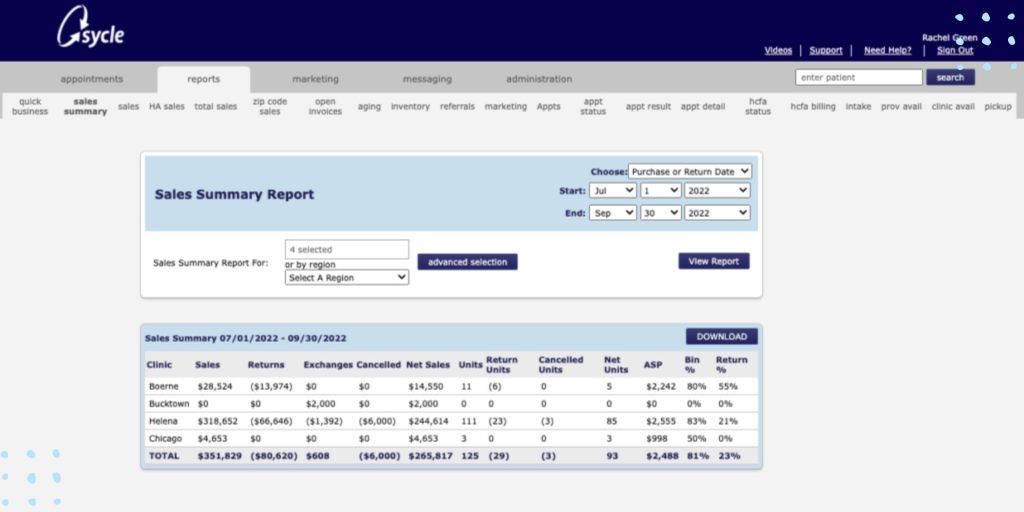
Sycle is an all-in-one cloud-based audiology EMR and practice management solution. Key features include appointment scheduling, patient records, inventory control, billing and reporting. Sycle integrates with many major audiology equipment manufacturers to enable data exchange. It also offers mobile apps for iOS and Android.
- Auditdata
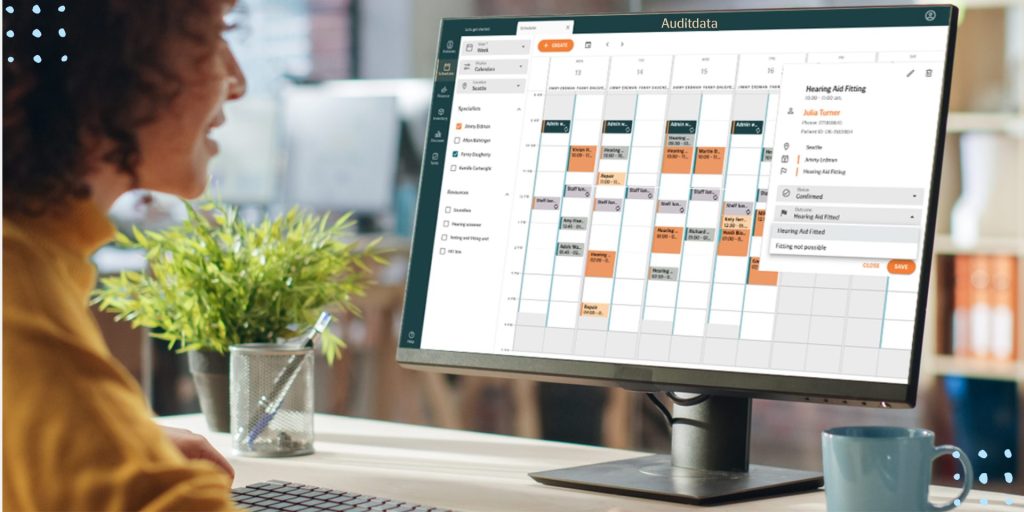
Auditdata provides complete audiology workflow and practice management. It offers customizable templates for data capture, integrated billing, scheduling, inventory tracking, and analytics reporting. Auditdata is designed specifically for the audiology practice.
- CounselEAR
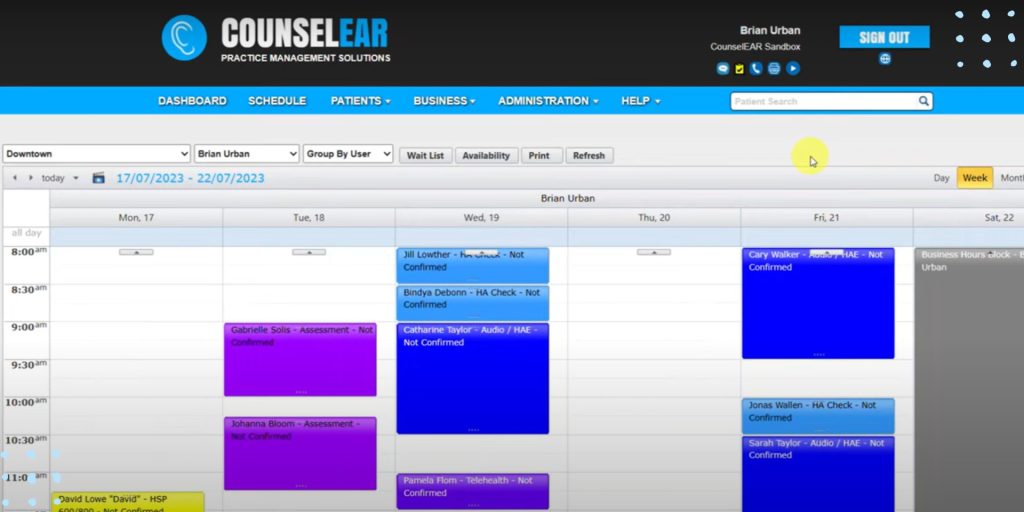
CounselEAR is tailored for audiology clinics. It includes features such as appointment scheduling, charting, billing, inventory management, and customized reporting dashboards. CounselEAR can integrate with Noah audiology systems.
- Amplify OMS

Amplify OMS (office management system) enables audiologists to manage their practice through one platform. Key capabilities include patient scheduling, documentation, billing, analytics, and inventory control. The system can integrate with major audiology equipment.
- TIMS
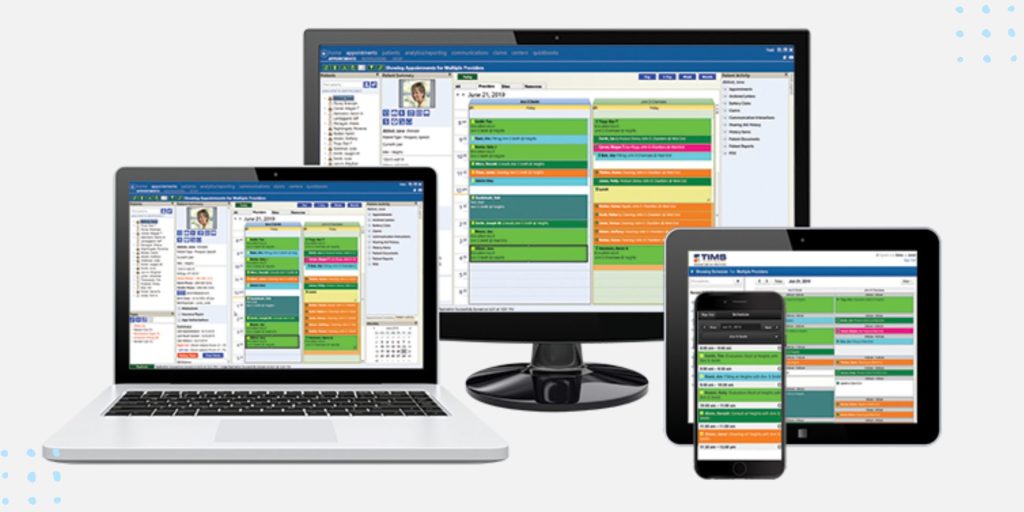
TIMS is a flexible audiology software system for clinical workflows and practice management. Features include appointment scheduling, patient records, integrated billing, customizable reports, and inventory management. TIMS offers integration with leading audiology instruments.
- HearForm
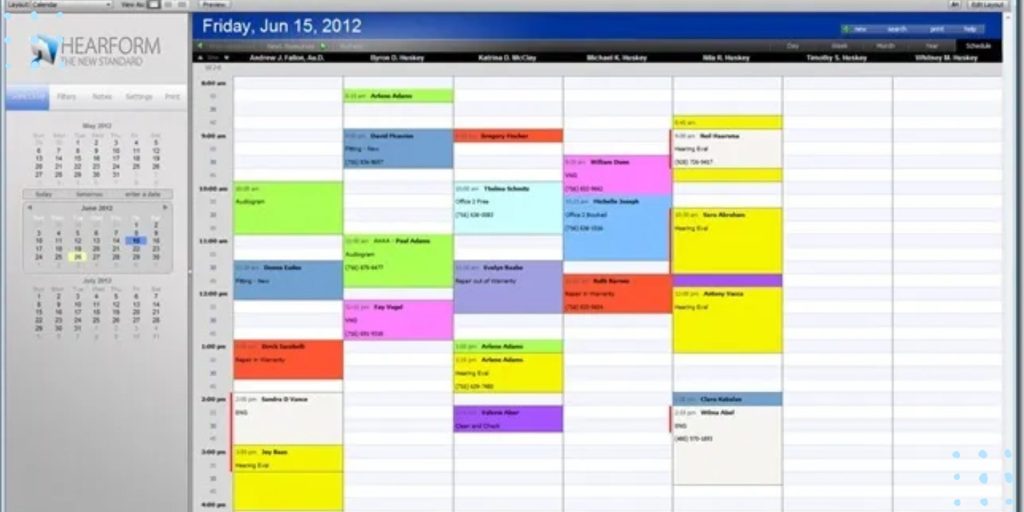
HearForm provides a complete audiology EMR and practice management solution. It offers scheduling, charting, billing, reporting, and can integrate with audiology equipment. HearForm also includes tools for patient engagement. Custom configuration is available.
- Kareo
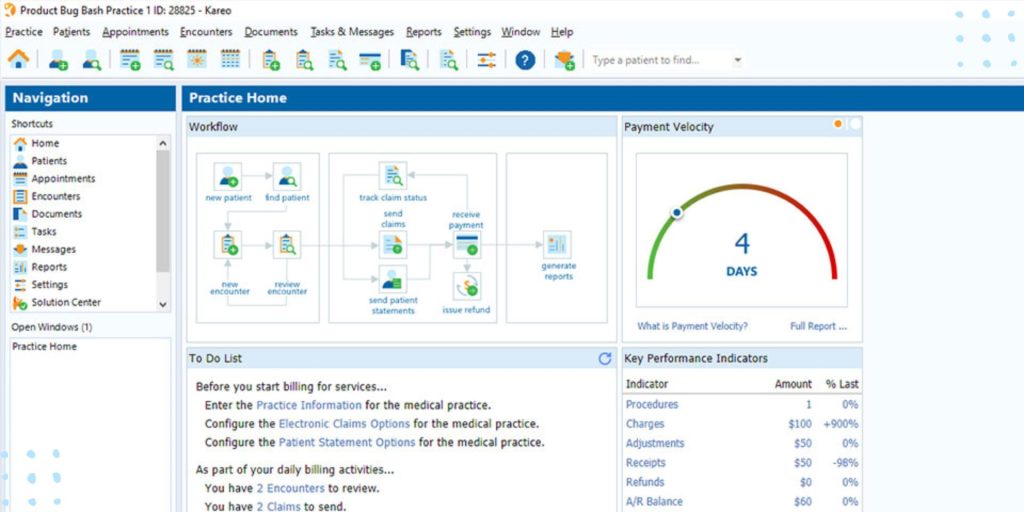
Kareo is a web-based platform designed for medical and clinical practices, including audiology. Key features relevant for audiology clinics include scheduling, charting, billing, custom reports, and patient portal access. Kareo offers mobile apps and integrations.
Pros and Cons of Each Option
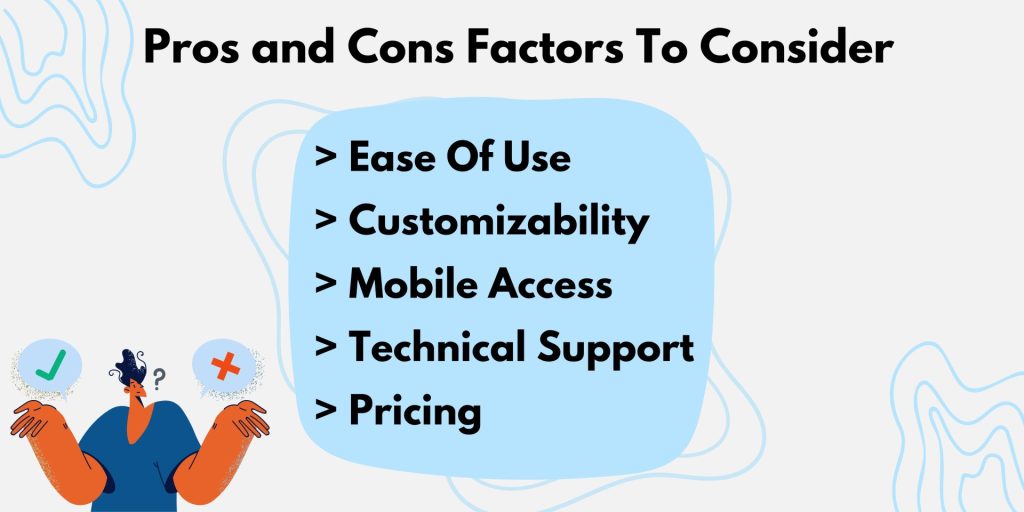
When evaluating different audiology practice management software options, there are several key factors to consider regarding the pros and cons of each system:
Ease of Use
- Sycle is designed to be intuitive and easy to use with drag-and-drop scheduling and customizable templates.
- Auditdata has a steep learning curve and can be complex for new users to learn.
- CounselEAR provides an intuitive interface but has some quirks in workflow.
- Amplify OMS is straightforward for basic tasks but can be tricky for advanced reporting.
- TIMS offers an intuitive dashboard and is generally easy to use.
- HearForm has a modern, simplified interface that most find easy to master.
- Kareo has an intuitive design but may require training for robust feature use.
Customizability
- Sycle allows for complete branding and interface customization to match your clinic.
- Auditdata offers granular configuration options but requires developer help for deep customization.
- CounselEAR provides customizable fields and templates but limited branding capabilities.
- Amplify OMS offers multiple configuration options but has less flexibility than some systems.
- TIMS enables extensive customization possibilities for advanced users.
- HearForm allows for workflow customization but minimal interface branding.
- Kareo offers modular packages but less adaptability than niche audiology software.
Mobile Access
- Sycle provides iOS and Android apps for on-the-go access.
- Auditdata lacks a mobile app but offers a mobile-friendly web interface.
- CounselEAR has an iPad app for mobile chart access.
- Amplify OMS offers a basic mobile app for appointments and alerts.
- TIMS has robust mobile apps for iOS and Android.
- HearForm does not currently have a mobile app.
- Kareo has full-featured iOS and Android apps.
Technical Support
- Sycle provides 24/7 chat, email, and phone support.
- Auditdata offers email and phone support during business hours.
- CounselEAR provides email and phone support weekdays.
- Amplify OMS has 24/7 phone support options.
- TIMS offers 24/7 phone and online support.
- HearForm provides email support weekdays.
- Kareo has 24/7 phone and email support.
Pricing
- Sycle has transparent pricing starting at $279/month.
- Auditdata pricing is customized based on modules needed.
- CounselEAR pricing starts at $225/month per provider.
- Amplify OMS pricing starts at $359/month.
- TIMS pricing is customized based on clinic needs.
- HearForm pricing starts at $299/month.
- Kareo pricing starts at $479/month for a complete package.
Pricing Models

When evaluating audiology practice management software, it’s important to understand the different pricing models offered. Here are the main options to consider:
One-Time Fees
Some software uses a one-time licensing model where you pay a single upfront cost for the license and setup. This gets you access to the software permanently.
One-time fees can range from a few hundred dollars for basic software up to several thousand for more robust systems.
The benefit of a one-time fee is that you avoid recurring monthly or annual costs. However, you likely still have to pay for maintenance, support, and upgrades separately.
Monthly/Annual Subscriptions
Many practice management systems now use a subscription model where you pay a recurring monthly or annual fee to access and use the software.
Subscription fees are often a few hundred dollars per month. Fees may be tiered based on the number of users or features needed.
The benefit of subscriptions is that costs are predictable each month. Upgrades and support are often included. However, it can become expensive over time versus a one-time fee.
Scaled Pricing
Some software uses scaled pricing where costs are tied to the number of clinics, providers, or patient records.
For example, pricing may start at $100/month for up to 5 users. Then it scales up to $300/month for up to 20 users.Tiered pricing allows you to pay for only what you need. Costs increase as your practice grows. Understanding the pricing model is key when budgeting for practice management software. Be sure to compare both one-time and ongoing costs.
Factors to Consider for Your Practice

When selecting an audiology practice management software, it’s important to consider factors specific to your practice that will impact the implementation and ongoing use of the system. This will help you choose the best solution tailored to your needs and budget.
Size of Practice
The size of your practice is a key determining factor. Solo practitioners and small clinics often have very different needs compared to large multi-location practices. Smaller practices may not require extensive functionality like enterprise-level reporting and analytics. Large practices need to ensure the software can scale and integrate across locations.
Budget
Practice management software ranges widely in terms of cost depending on the features offered. Consider how much you can allocate towards a new system and look for options accordingly. Some vendors offer tiered pricing plans based on practice size and functionality needs. Others charge monthly or annual fees. Be sure to factor in any one-time setup and implementation costs as well.
Workflow Needs
Take a close look at your practice’s workflow patterns and areas for improvement. Then assess how each software option can streamline workflows like appointment scheduling, insurance claims, inventory management, and clinical documentation. Prioritize the features that will lead to the biggest workflow and efficiency gains.
Implementation Process
The implementation process can be smooth or arduous depending on the software. Consider how much training and support is provided during onboarding. Is customer service available if issues arise? Can the system integrate with your existing audiology equipment and EHR if needed? These factors impact how easily the software can be rolled out.
Training and Support
Ongoing training resources and technical support are crucial for successfully leveraging practice management software. Evaluate what each vendor offers in terms of webinars, manuals, email/phone assistance, forums etc. Insufficient training resources can lead to low software adoption among staff. Prioritize options that provide robust support.
Recommendations
When selecting an audiology practice management software, your recommendation will depend largely on the size of your clinic and your budget. Here are some guidelines:
Best Options for Small Clinics
- Sycle – Sycle is designed specifically for small audiology clinics. It offers easy scheduling, charting, analytics reporting, and integrates with major hearing aid manufacturers. The basic plan starts at $99/month.
- Auditdata – Auditdata has starter plans for solo practitioners starting at $50/month. It handles key functions like scheduling, e-claim filing, inventory, and custom reports. The interface is user-friendly.
- CounselEAR – For clinics with 1-3 audiologists, CounselEAR Solo offers robust features like teleaudiology, patient engagement tools, and revenue cycle management for $259 per provider/month.
Best Options for Large Clinics
- TIMS – This all-in-one practice management platform was built specifically for larger audiology clinics. TIMS handles complex scheduling, integrated billing, custom charting, business intelligence reporting, and more. Pricing scales based on number of users.
- Amplify OMS – Amplify offers both cloud-based and on-premise solutions to suit large audiology practices. Plans are customized based on your needs and number of users. Amplify offers mobile access, data analytics, and billing integrations.
- HearForm – HearForm can handle multi-location practices with its enterprise-level platform. It offers advanced patient engagement features like appointment reminders and hearing aid compliance tracking. Pricing is customized for each practice.
Best Budget Options
- Kareo – For clinics looking for basic practice management functions on a budget, Kareo starts at $189/provider/month. It handles scheduling, billing, reporting, and integrations.
- eClinicWork – The Starter plan for small clinics begins at $79/month total and includes light features like scheduling, charting, and custom reporting.
- ClinView – For solo practitioners, ClinView starts at just $39/month and provides appointment scheduling, records management, and billing capabilities in a streamlined interface.
Implementation Process
Implementing new practice management software can seem daunting, but having a plan will ensure a smooth transition. Here are some key steps to take:
Data Migration
- Work with your software vendor to map out the data migration process. What data will move over and how will it be formatted?
- Plan time for data cleanup before migration. Eliminate any duplicate or erroneous records to start with clean data.
- Migrate data in stages if needed. For example, move patient demographics first, followed by appointment history, and finally clinical records.
- Validate the data after migration to spot any issues. Check for missing information or formatting problems.
Training
- Set up training for staff on the new system as far in advance as possible. Make training mandatory, not optional.
- Stagger training if needed so the whole staff isn’t learning the system at once.
- Require staff to meet proficiency benchmarks before using the software independently.
- Identify power users who can provide on-the-job training and support after go-live.
Troubleshooting Issues
- Expect some hiccups at first. Have your software vendor provide post go-live support.
- Maintain hotlines and online resources to report issues or ask questions. Respond quickly.
- Track problems and solutions in a shared document so staff can reference it.
- Schedule frequent check-ins after launch to address concerns and provide ongoing training.
- Be patient! It takes time for staff to adjust to new workflows. Provide encouragement.
Audiology Practice Management Software Conclusion
Implementing or upgrading audiology practice management software is an important decision that can greatly impact your clinic’s workflow and bottom line. With the right software, you can achieve major gains in efficiency, productivity, profitability and patient care. The key is selecting a solution that aligns closely with your practice’s unique needs and goals.
When evaluating options, be sure to consider factors like your budget, the size of your practice, and your workflow requirements. Weigh the pros and cons of solutions in terms of features, customizability, mobility, integration, security compliance and vendor support. It’s also wise to speak to other audiology clinics to learn from their experiences and see what options have worked well for practices similar to yours.
The most suitable software for your clinic will allow you to optimize scheduling, streamline billing and insurance claims, maintain detailed patient records, monitor key metrics, manage inventory and seamlessly integrate with audiology equipment. With the right practice management platform in place, you can reduce administrative burdens and maximize time spent focusing on patient care and growing your business. Investing in scalable software that adapts as your practice evolves is an important step toward achieving your clinic’s long-term goals.
References/Additional Resources
[Mayo Clinic Hearing Aids](https://www.mayoclinic.org/tests-procedures/hearing-aids/about/pac-20384821) – Overview of hearing aids from the Mayo Clinic.
[Audiology Online](https://www.audiologyonline.com/) – Audiology news, training, and resources.
[Business Insider – Hearing Aid Practice Management Software](https://www.businessinsider.com/best-hearing-aid-practice-management-software) – Review of top practice management software.
[Software Advice – Audiology Software](https://www.softwareadvice.com/medical/audiology-software-comparison/) – Detailed comparisons of audiology software options.
[American Speech-Language-Hearing Association](https://www.asha.org/Practice/audiology/) – Professional association for audiologists with practice resources.
[Auditory Insight – Practice Management Software](https://www.auditoryinsight.com/blog/top-10-features-of-the-best-audiology-software) – Overview of key practice management software features.
[Otoharmonics Blog](https://www.otoharmonics.com/blog/) – Audiology blog with insights on running a practice.
[Hearing Tracker – Software Reviews](https://www.hearingtracker.com/software-reviews) – Hearing aid software reviews and comparisons.

Eleftheria's world revolves around sound - whether it's designing high-quality audio applications, crunching numbers in audio signal processing (DSP), decoding room acoustics, listening to music or crafting the latest hearing aid technology and new features. She has a professional career spanning over 15 years and a strong research record (over 40 articles and patents) and has been the driving force behind top-notch products at leading hearing aid and audio tech companies. But what really makes her enthusiastic is sharing what she knows. As an avid writer, she loves spreading the word on the science of hearing, hearing aids and health technologies. Her ultimate goal? To give people with hearing impairments the insights they need to live their best life.