


Common complaints among hearing aid users include ‘Why is my hearing aid not working?’ or ‘There is a bug in my hearing aid’ when they experience device malfunctions. Our ability to hear plays a fundamental role in daily life. For individuals with hearing loss, hearing aids are vital links to the world around them. Consequently, any technological glitches are immediately noticeable and can cause concerns.
In this article, we will discuss troubleshooting hearing aids, including potential issues, their causes, and solutions. Our aim is to provide valuable information that will assist you in resolving problems with your hearing aids, ensuring a quick return to clear listening.
Know Your Hearing Aids!
Is it really necessary to know some things about the hearing aid you use? The answer is yes.
The more you know and understand about your equipment, the better equipped you are to troubleshoot it. A hearing aid is an electronic device composed of tiny components, each dedicated to performing its specific function. Some of the key components are a microphone, amplifiers, batteries, and controls, among others. The diagram below gives you an idea of the parts of a hearing aid:

The microphone acts as the environmental interface, collecting sound and converting it into electrical energy. Amplifiers then increase the strength of this electrical signal while the receiver transforms the electrical charge back into sound. The earmold secures the device in the outer ear, ensuring that only the amplified sound reaches the listener’s ear. Batteries, housed within their cases, power the device, and controls allow the user to turn the hearing aid on or off and adjust volume settings. Any minor issue in one of these components can significantly affect the user’s listening experience.
Ear Canal Cleanliness
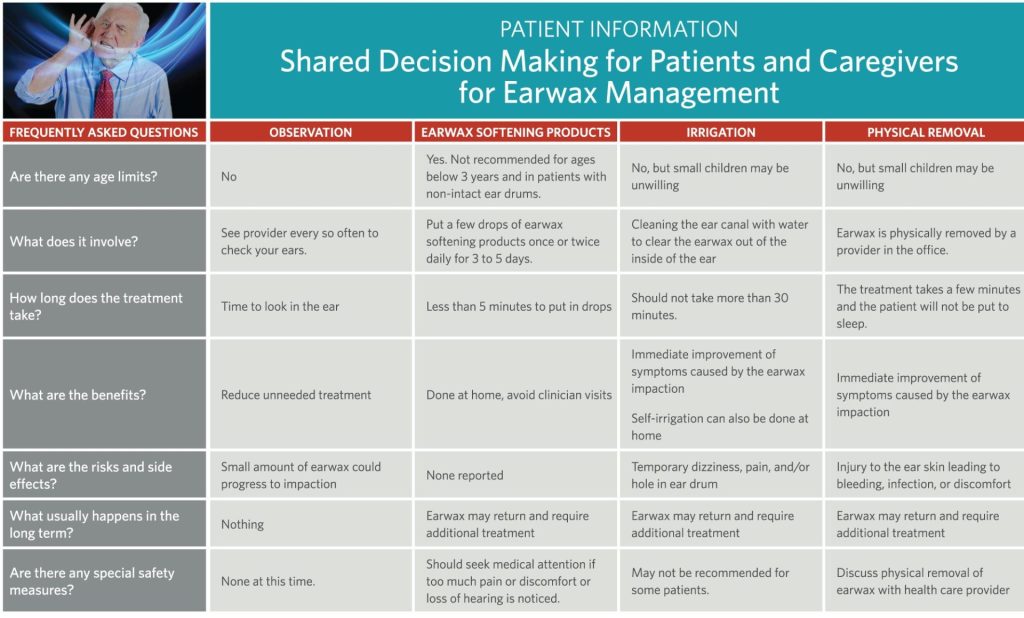
The ear canal is a crucial passage that extends inward from the auditory meatus, measuring approximately 2.5 cm in length and featuring a slight narrowing at the isthmus. The outer third of the canal is composed of cartilage, while the inner two-thirds consist of bone. Beyond its primary role in conducting sound vibrations to the tympanic membrane, the ear canal also acts as a barrier against foreign objects entering this sensitive area. Glands in the ear canal produce a wax-like substance to keep it moist and lubricated, which is normal and healthy as long as it doesn’t affect hearing.
Occasionally, wax can accumulate excessively and harden, leading to impaction that blocks the free flow of sound to the tympanic membrane. For hearing aid users, this blockage can prevent the device’s amplifications from properly reaching the inner ear, causing sound to reflect back and produce a whistling noise from the aid. Let’s have a look at how the ear canal looks and what you need to do to clear it out.

Hearing Aid Batteries
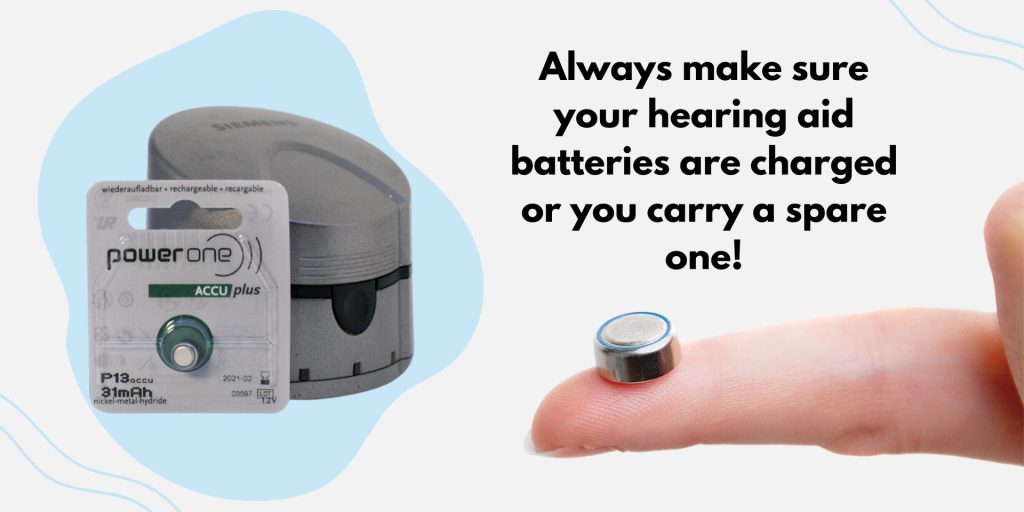
Batteries, regardless of their type or model, have a finite life and degrade with use. As consumable items, they are integral to the functionality of a hearing aid, essentially powering all its operations. A weak or dead battery will not supply sufficient energy to the hearing aid’s components, potentially causing the device to malfunction or appear non-functional. In such instances, replacing the battery with one recommended for your specific model is necessary. It’s advisable to always carry a spare battery as a precaution against unexpected failures. Modern advancements in hearing aid technology now offer options with longer battery life and rechargeable capabilities, enhancing convenience and reliability.
Volume Controls
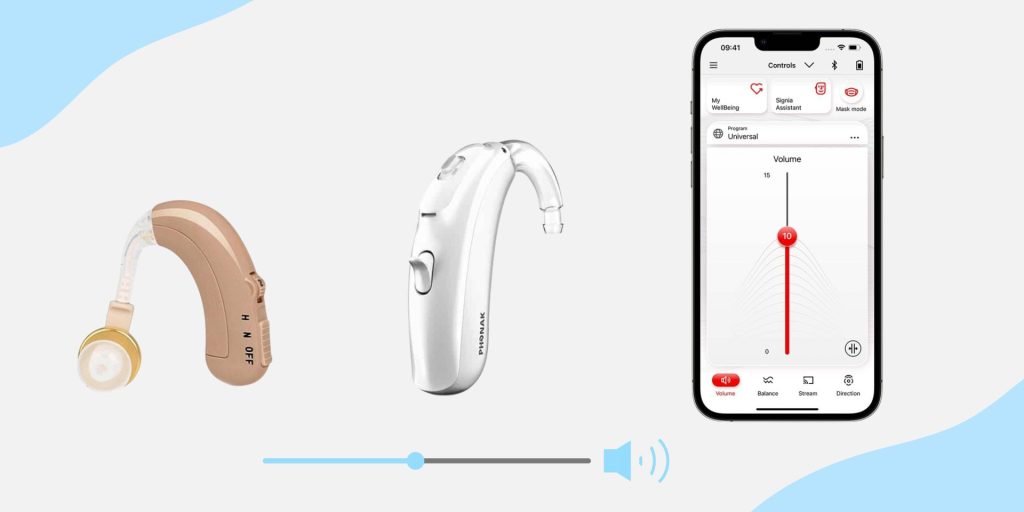
The volume controls help you slide the volume up or down. The increased volume may sometimes result in the “whistling” hearing aid. When this happens, you can reduce the volume to a suitable level where it does not make squeaking sounds. If you have trouble hearing at a lower volume and you cannot avoid volume increase, try to get yourself a newer ear mold, which will get you a better fit. Your hearing aid controls may include a toggle switch in addition to your volume knob. Manufacturers like Signia have apps for their hearing aids that allow users to control the volume of the hearing aids right on their phone.
Worn Out Ear Molds or Tubing
After taking an impression of your ear, the ear molds will be made using skin-compatible materials. However, it should be noted that these molds may wear out or become hard with time, thus compromising the aid’s effectiveness. A loose fit and a worn-out tube will result in whistling on the hearing aid as a result of feedback. Molds may also cause skin irritation in the beginning; this is something that can be prevented by using a thin layer of lubricant during insertion and removal.
Hearing Aid Keeps Falling Out
Hearing aids may occasionally fall out of the ear for various reasons. Common causes include exaggerated jaw movements during speaking or chewing and wearing hats that press on the ears, although this doesn’t apply to all types of hearing aids, such as those that are completely in the canal. Additionally, tremors, headshakes, and other conditions can dislodge the hearing aid, causing it to pop out. In some instances, a retention wire may be necessary to ensure the device remains securely in place.
| Common problems | Solution I | Solution II | Solution III | Solution IV |
|---|---|---|---|---|
No sound | Check Power switch Make sure the hearing aid is turned on | Check Battery Make sure the battery is properly fixed and isn’t sticking out. Also, check the battery life. | Check Volume The volume might have been turned off accidentally, so check to make sure the volume is on. | Consider Cleaning Make sure that the hearing aid is clean and isn’t clogged with dust or ear wax. |
Uncomfortable sounds | Check for Corrosion Moisture may have penetrated the battery compartment, leading to corrosion. Inspect the battery for any signs of corrosion. | Check Controls Check controls for any dirt particles and clean them to avoid unwanted sounds. | Doubt your hearing Seek for an audiologist if you feel your hearing thresholds have changed. | – |
Whistling & feedback | Turn on after placement Occasionally, the device may produce whistling sounds when it comes into contact with another surface. Additionally, if it becomes loose, it may generate feedback noises. | Lower the volume Try lowering the volume to avoid any feedback | Sturdy yourself Hold still for a few seconds after inserting the device, as movement can create feedback. | Check for damage or cracks Whistling sound could be produced due to cracks in the tube. If that is the case, check with your audiologist. |
Uncomfortable fit | Get the best fit If your device doesn’t match your ear shape or size, it can lead to various issues, so it’s important to ensure you have the most suitable fit for yourself. | Headaches In cases where it’s possible, lower the volume to a more comfortable level. If headaches persist, consult your audiologist. | Uncomfortable while sleepingIf your device causes discomfort while you sleep, consult your audiologist to find a fitting that allows you to sleep comfortably. | Cracks in tube or mold You may need a new mold. Seek support of an audiologist. |
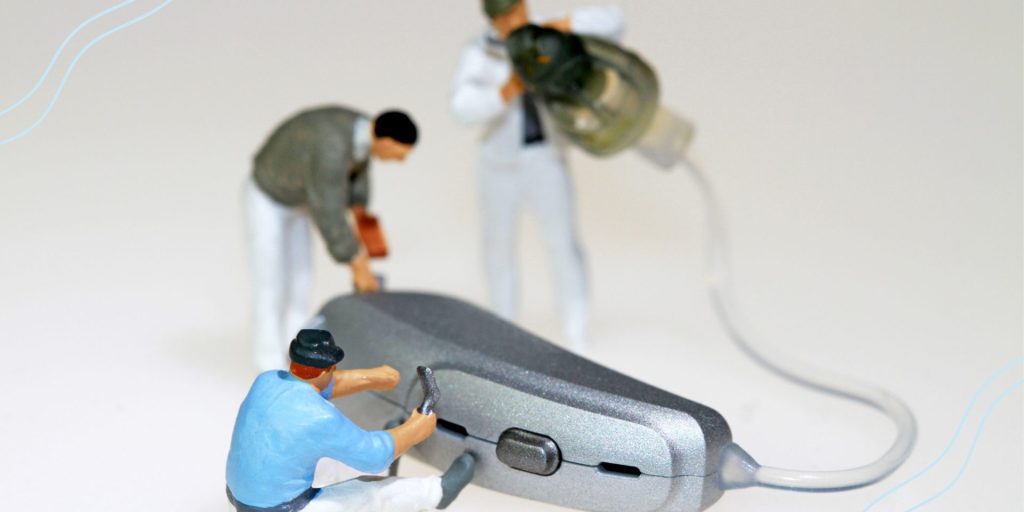
General Complaints for Which a Cautious Response Should Be Enough!
| Concerns | Solutions |
|---|---|
I sat on my hearing aids | It’s common to casually place hearing aids on the bed or under the pillow during late hours, risking damage by accidentally crushing them while sleeping.To prevent this, as soon as you take your aids off, put them in a safe place. |
| I cannot find my hearing aids | Dedicate a location for your aids so you know where to look for them later, e.g., a cabinet or a bedside table. |
| My hearing aid fell into the water | It’s not uncommon, but remember to keep them secure in environments like restrooms and beaches. |
Why do I forget to turn it on? | It may happen. However, if you notice it promptly, the issue won’t persist for long. Sometimes, the toggle switch or controls may accidentally turn off. Should this happen, it’s advisable to have your hearing aids examined by a professional. |
How do I protect my aids from moisture? | The best way to avoid getting moisture is to avoid using them in rain or extreme heat conditions. Working out with hearing aids may also attract moisture. You can try to store your hearing aids in a dehumidifier. Please note that some modern hearing aids are waterproof therefore, moisture might not be so problematic for them. |
Does my hairstyle have to do with a muffled voice? | Yes! It may. Especially with long, thick hair over the ear may muffle the sounds captured by the microphone. |
Troubleshooting Hearing Aids Takeaway

For individuals facing hearing challenges, hearing aids are an essential connection between the spoken word and their perception of sound. The dependence of those with hearing impairments on these devices is both significant and understandable. Any malfunction within the hearing aid or its components can make listening difficult, impacting the user’s overall well-being. Maintaining the functionality of hearing aids under all conditions is crucial for an enriched life experience.
Fortunately, troubleshooting hearing aids is straightforward and requires minimal technical skills. Users are advised to acquire the necessary knowledge for keeping their devices clean and in sanitary condition. Regular appointments with an audiologist are recommended to ensure your hearing health is monitored and to keep your practitioner informed about any changes in your condition. Prompt troubleshooting of hearing aids can diminish feelings of frustration and isolation caused by impaired hearing, thereby enhancing the user’s ability to engage with their surroundings and maintain connections with others.

Eleftheria's world revolves around sound - whether it's designing high-quality audio applications, crunching numbers in audio signal processing (DSP), decoding room acoustics, listening to music or crafting the latest hearing aid technology and new features. She has a professional career spanning over 15 years and a strong research record (over 40 articles and patents) and has been the driving force behind top-notch products at leading hearing aid and audio tech companies. But what really makes her enthusiastic is sharing what she knows. As an avid writer, she loves spreading the word on the science of hearing, hearing aids and health technologies. Her ultimate goal? To give people with hearing impairments the insights they need to live their best life.